Almost everyone who wants to sell a PDF online already has the file. A workbook built for clients, a guide written for a class, a set of templates refined over three years of freelance work. The document exists and nothing happens with it, because the distance between a finished file and a product someone pays for is made of a dozen small decisions that nobody explains in order.
None of those decisions are hard. They are simply invisible until you meet them: what the file promises, what a buyer receives after paying, who is allowed to print it, and what happens when the download link fails on a Sunday night. Work through them once and the same setup carries every file you publish afterward.
The short answer
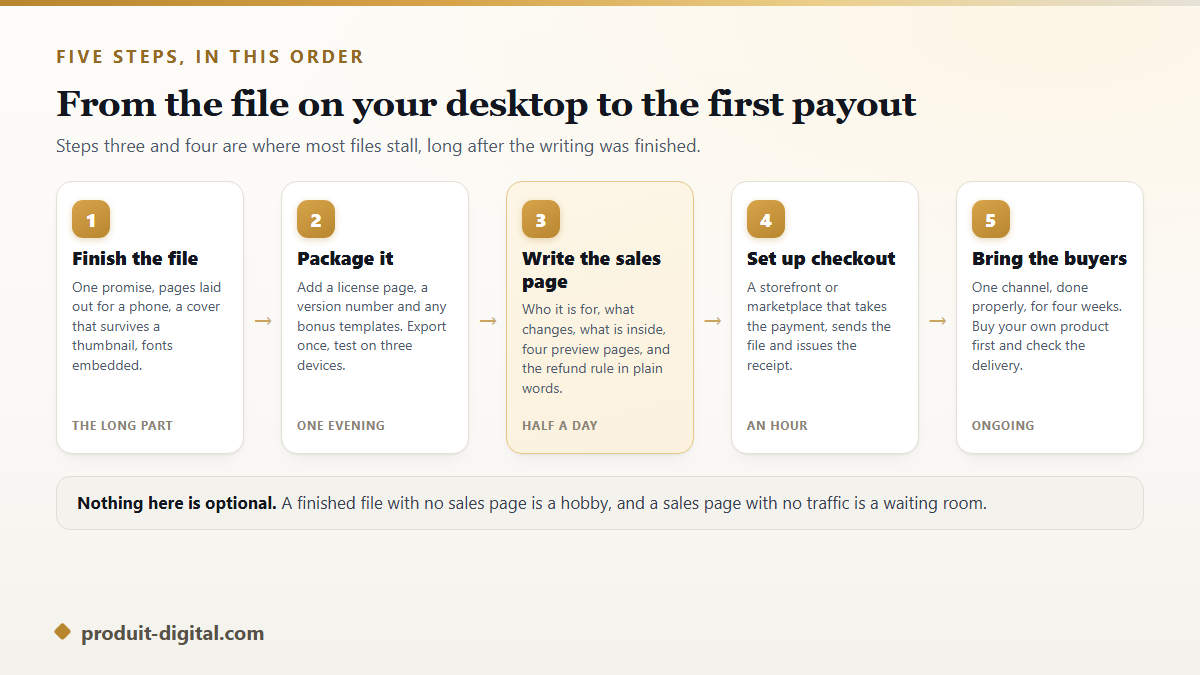
Turn the document into a product by giving it one promise, a cover that reads small, and pages that hold up on a phone. Export it with the fonts embedded and add a license page. Put it on a creator storefront or a marketplace that handles payment and instant delivery. Write a sales page that names the buyer, the result and what is inside, with a few preview pages. Then bring traffic from one channel you already have, and buy your own product once to confirm the whole chain works.
What separates a sellable PDF from a document
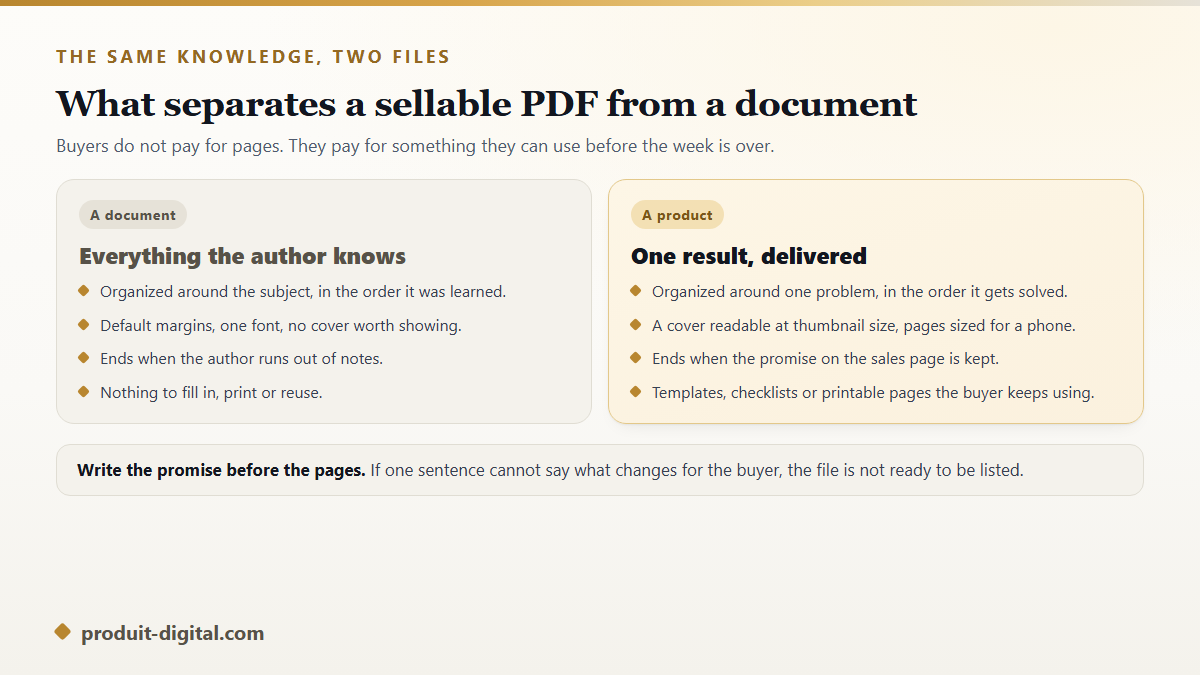
A document holds everything the author knows, arranged in the order they learned it. A product solves one problem, arranged in the order it gets solved. That is the whole difference, and it usually means cutting rather than adding. Amandine's forty page catering guide sold nothing until she rebuilt it as an eighteen page pricing workbook for small caterers, with the calculation sheets people actually wanted.
Write the promise as one sentence before you touch the layout. If it does not name who the buyer is and what changes for them, the file is not ready to be listed, whatever its page count. The same discipline sits at the front of the complete method for building and running a digital product business, because a promise you cannot write is also a promise you cannot advertise.
Decide what the PDF replaces
Buyers pay to skip something: an afternoon of research, a spreadsheet they would have built badly, a conversation with a professional. Naming that saved thing gives you both the price and the description. A meal planner replaces a weekly hour of deciding. A contract template replaces a nervous evening of guessing what a clause should say.
If you are not sure what your file replaces, the idea probably needs sharpening before the layout does. A tour of the product concepts that beginners can finish and sell quickly is a faster way to test that than another week of editing pages nobody has asked for yet.
Build the file so it survives every screen
Most refund requests on digital files come from something mechanical: a font that did not travel, text too small to read on a phone, a print that came out cropped. Fix those before publishing and you remove the majority of the support you would otherwise receive.
- Embed every font at export, then open the file on a device that does not have them installed.
- Choose one page size and stay with it. Mixing letter and A4 inside one file breaks printing.
- Set body text large enough to read on a phone without pinching, since most first opens happen there.
- Add a clickable table of contents once the file passes about twenty pages.
- Put your name, a version number and the license terms on one page near the front.
- Print a single page at home and check the margins before anyone else does.
Give the cover as much attention as the interior. It is the only page most people see before deciding, and it will be judged at the size of a postage stamp in a search results grid. A title readable at that size beats an elegant one that turns to grey mush.
Price it against the outcome, not the page count
Length is a poor guide to value. A three page checklist that stops a costly mistake is worth more than a hundred pages of general background, and buyers know it. Price against the result, then check what comparable files in the same category ask, so your number does not look like an error in either direction.
Two adjustments help early on. A bundle raises the average order without new work: the guide plus its templates, or three related files together. And a slightly higher price with a clear refund policy usually outperforms a low one, because it signals confidence and attracts buyers who read before they click.
Where to list the file
Creator storefronts are the shortest route: they host the product page, take the payment, deliver the file automatically and hand you the buyer's email. Marketplaces take a larger cut but arrive with shoppers already searching. Your own site keeps the most per sale and brings nobody by itself.
The right pick depends on whether you already have an audience, and a full comparison of marketplaces, storefronts and owned stores walks through that decision by stage. As a rule, with no audience start where the shoppers are, and with a list of your own start where the margin is.
Delivery, licensing and the copies you cannot control
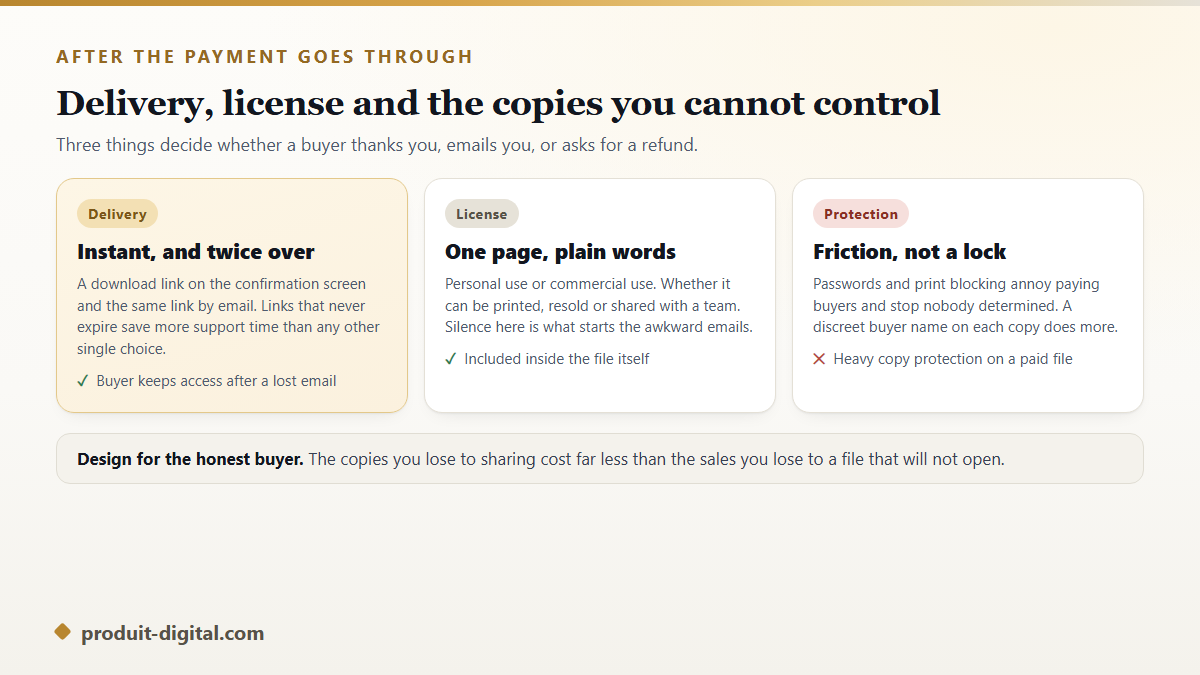
Delivery should be instant and duplicated: a download link on the confirmation screen and the same link by email. Links that do not expire prevent more support messages than any other setting. Keep the file name descriptive, because a buyer who saves guide-final-v3 will never find it again.
The license page tells the buyer what they may do. Personal use or commercial use, printing allowed or not, sharing with a team or not, resale forbidden. Three plain sentences are enough, and their absence is what produces the awkward email six months later. Heavy copy protection is rarely worth it: passwords and print blocking irritate honest buyers and stop nobody determined, while a discreet buyer name printed on each copy discourages casual sharing without breaking anything.
How the first sale actually arrives
The first sale rarely comes from publishing. It comes from one deliberate push into a place where your buyer already spends time: a message to past clients, a post in a group where you answer questions regularly, an email to the small list you built for something else. Pick a single channel and work it for four weeks rather than opening five and tending none.
Before that push, order your own product with a real payment. Check the confirmation email, the download, the receipt and the file itself on a phone. Claire found her checkout was sending an empty attachment after two days of promotion, which is a cheap lesson at that stage and an expensive one later.
If writing the PDF is the part that stalls
Plenty of people stop at the file itself, because writing, illustrating and laying out a book is three jobs rather than one. The full path from an idea to a finished digital book covers that work in order, and our tool that carries a book from approved outline to a ready to publish PDF does the same chain in one place, including the cover and illustrations that keep the same characters from page to page. The overview of what the platform includes shows which parts of the chain are covered.
Frequently asked questions
Do I need a business registered to sell a PDF online?
Requirements depend on your country, and most platforms let you start as an individual while asking for tax details before the first payout. Check your local rules on declaring income from digital sales, and read the platform's own terms on who may open a seller account, since some restrict it by country.
Should I sell a PDF or an EPUB?
PDF keeps your layout exactly as designed, which matters for workbooks, planners, templates and anything printable. EPUB reflows to fit any screen and suits long stretches of plain reading. Many sellers include both in one purchase and let the buyer choose.
How do I stop people from sharing the file?
You cannot stop it completely, and trying too hard damages the experience for buyers who paid. Personalizing each copy with the buyer's name, keeping the price fair and shipping free updates does more for revenue than any lock. Treat leaked copies as a marketing cost rather than a theft to be solved.
What should the sales page contain?
Who it is for in the first line, the result it delivers, what is inside listed plainly, three or four preview pages, the file format and page count, the license in one sentence, and the refund policy. Preview pages do most of the persuading, so choose the ones that show the work rather than the introduction.
Can I update the file after selling it?
Yes, and you should. Most storefronts let you replace the file and notify past buyers, which turns an update into a reason to reappear in their inbox. Keep a version number on the license page so both sides know which copy is in hand.
The file you already have is closer to a product than it looks, and the work left is mostly packaging rather than writing. If the document itself is still a folder of notes, open an account and build it properly first, then come back to the storefront once there is something finished to sell.