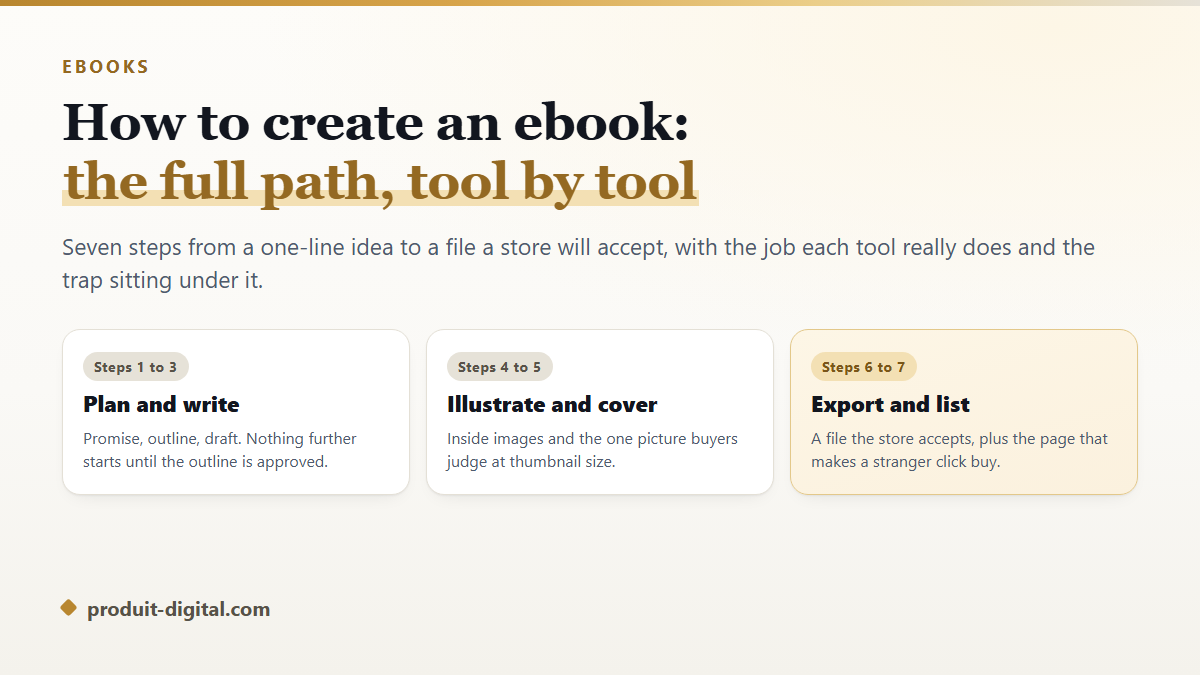
Most people who ask how to create an ebook already have the hard part done. They have the idea, they have the expertise, and they have a folder of half-written notes. What stops them is the assembly line: a manuscript in one program, images in a folder, a cover started in a design app and abandoned, and no clear picture of what a store will actually accept at the end.
This guide walks the whole line in order, from the sentence that defines the book to the listing that sells it. Each step names the job underneath it, the tool that does that job, and the mistake that sends you back two steps. If you are still unsure what the finished object even is, the plain explanation of ebook files, formats and reading devices covers that ground first.
The short answer: how to create an ebook in seven steps
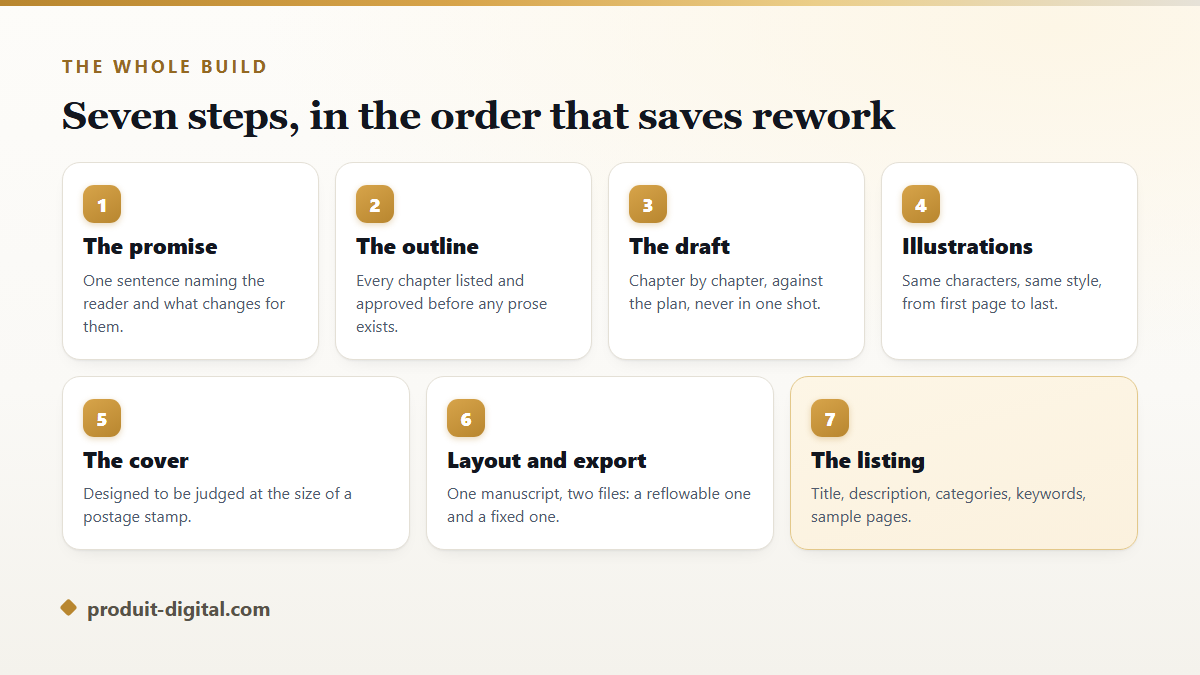
You write a one-sentence promise, turn it into an outline you approve before any prose exists, draft the book chapter by chapter against that outline, add illustrations that keep the same characters and style throughout, design a cover that survives being shrunk to thumbnail size, export a file the store validates, and write a listing that makes a stranger click. The order matters more than the tools. Every step out of sequence costs rework, and rework is what kills unfinished books.
- Promise. One sentence naming the reader and what changes for them by the last page.
- Outline. Every chapter listed and approved before a word of prose is written.
- Draft. Chapter by chapter, checked against the plan, never produced in a single pass.
- Illustrations. The same faces and the same visual style from the first page to the last.
- Cover. Designed to be judged at the size of a postage stamp, because that is where buyers meet it.
- Export. One manuscript, two files: a reflowable one for reading, a fixed one for printing.
- Listing. Title, description, categories, keywords and sample pages, all part of the product.
Step 1. Write the promise before you write the book
A promise is one sentence with a reader in it and a change in it. "A guide to sourdough for someone who has killed two starters and wants the third to live." That sentence decides the length, the tone, the illustrations, the cover and the category on the store. Without it, every later decision becomes a matter of taste, and taste changes weekly.
Test the promise on three people who match the reader in it. If they ask what the book is about after hearing the sentence, the sentence is not finished. Julien spent an afternoon on his promise for a book about freelance invoicing and cut the intended audience from "freelancers" to "freelancers who have just been paid late for the first time." The book got shorter, the chapters got sharper, and the description on the store wrote itself.
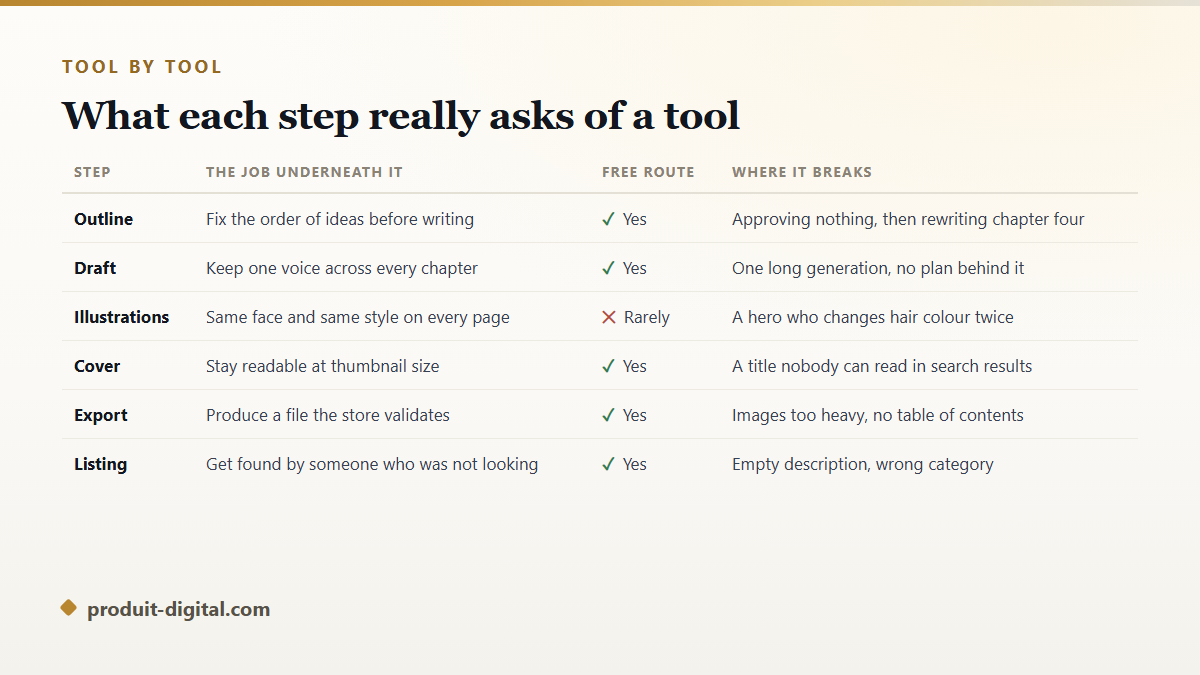
Step 2. The outline: how to build ebook structure that holds
An outline is not a table of contents typed in advance. It is a list of chapters where each line says what the reader can do after that chapter that they could not do before. Written that way, an outline exposes the two problems that ruin books before they exist: a chapter that repeats another one, and a gap where the reader is expected to make a leap you never explained.
Approve the outline in writing, to yourself if nobody else is involved. This is the single most valuable checkpoint in the whole process, because the cost of moving a chapter at the outline stage is one line of text, and the cost of moving it after the draft is a week. It is also the step most tools skip: a program that writes a whole book from one prompt has decided your structure for you, and you find out about it at chapter nine. Produit Digital works the other way round, holding the outline in front of you until you accept it, and only then writing against it.
Step 3. Draft chapter by chapter, never in one pass
Whether you write every word yourself or work with an assistant, produce the book in chapter-sized pieces. A chapter is a unit you can read, judge and rewrite in one sitting. A whole book generated in one pass cannot be judged at all: by the time you have found the flaw in chapter two, chapters three to twelve have already been built on top of it.
Keep one voice across the book by writing down what that voice is before you start: who is speaking, to whom, how formal, first person or second. Reread the previous chapter's last paragraph before writing the next chapter's first, which is the cheapest continuity check there is. If the writing itself is what worries you, the complete method for taking a book from first idea to final page goes deeper on drafting habits, scenes and revision than a production guide can.
Step 4. Illustrations that keep the same characters
Illustrated books fail on consistency, not on quality. Generate twelve pictures of a girl with a red coat from twelve separate requests and you get twelve different girls, because nothing carries the character from one image to the next. Readers notice immediately, and children notice fastest of all. The fix is a character reference: one approved image of each recurring figure, reused as the basis for every later illustration, plus a written style note covering the palette, the line weight and the framing.
Decide the count before you generate anything. A picture book runs on a fixed rhythm of one image per spread. A non-fiction guide usually needs fewer images than the author imagines, and each one should carry information a paragraph would need three hundred words to convey. Illustration is also where free routes run out: keeping a face stable across a whole book is the one job that hobby tools rarely handle.
Step 5. The cover is judged at the size of a thumbnail
Buyers meet your cover as a small rectangle in a grid of small rectangles. Amazon's KDP documentation recommends a cover of 2,560 by 1,600 pixels, a height to width ratio of 1.6 to 1, and that shape is now the informal standard across stores. Design at full size, then shrink the file on your own screen to the width of your thumbnail. If the title stops being readable, the title is too long or the type is too thin.
Three things decide whether a cover works: whether the genre is legible in under a second, whether the title survives at small size, and whether it looks like it belongs beside the current bestsellers in its category rather than beside the bestsellers of fifteen years ago. The detail of sizes, safe zones and what actually converts at thumbnail scale is laid out in the rules that make a small cover image do its job.
Step 6. Layout and export: how to prepare ebook files each store accepts
One manuscript should produce two files. A reflowable file, usually EPUB, lets the reader set the font size and reads well on a phone. A fixed file, usually PDF, keeps the page exactly as you designed it and suits workbooks, cookbooks and anything a buyer prints. Which one to lead with depends on how the book is read rather than on where you want to sell it, and the direct comparison of reflowable files against fixed pages settles that choice quickly.
Amazon's KDP help pages state that MOBI is no longer accepted for new uploads and ask for EPUB or a word processor document instead. Kobo and Apple Books both take EPUB. Before you upload anywhere, run the file through the free EPUBCheck validator, which is the reference tool published for the standard: it catches broken image references and a missing navigation document before a store does. Layout templates can save real time here, though they also impose a shape on your book, and the honest account of when a ready-made layout helps and when it boxes you in is worth reading before you commit to one.
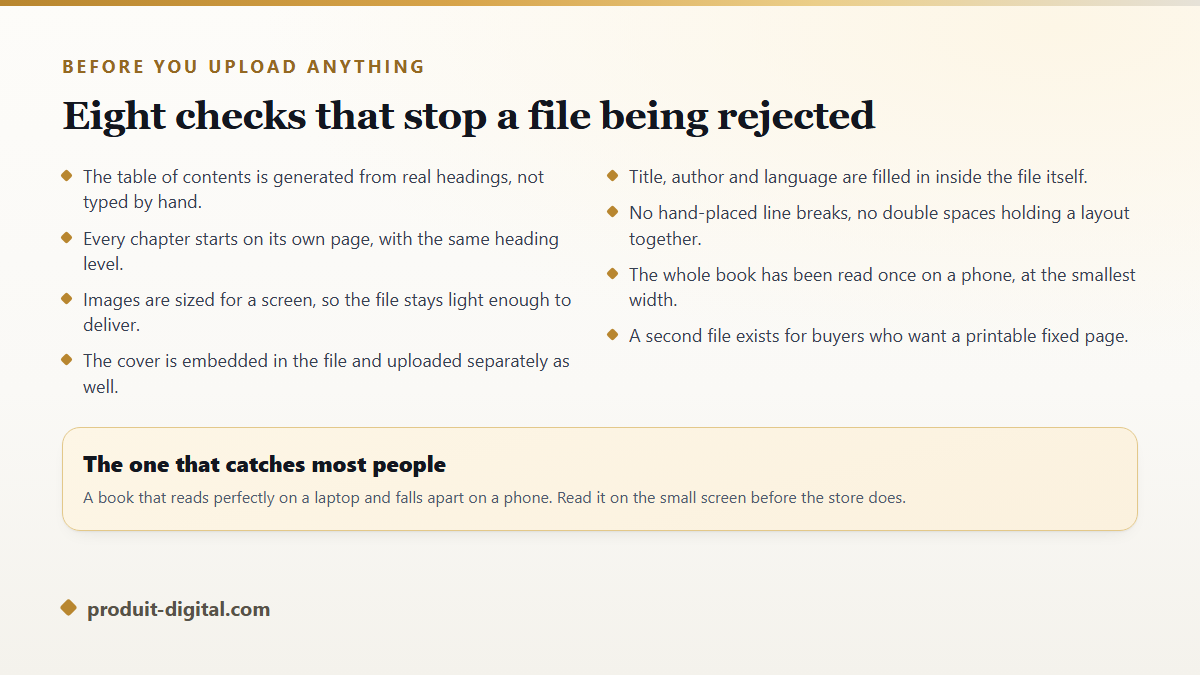
- Generate the table of contents from real headings rather than typing it by hand, so the reader can tap through it.
- Give every chapter the same heading level and its own page break.
- Resize images for a screen, since heavy files slow delivery and some stores charge on file weight.
- Embed the cover inside the file and upload it separately as well, because stores use the two differently.
- Fill in title, author and language inside the file itself, not only in the upload form.
- Remove hand-placed line breaks and double spaces used to fake a layout, which shatter when the text reflows.
- Read the whole book once on a phone before anyone else sees it.
Step 7. The listing is part of the book
A finished file sells nothing on its own. The listing carries the cover, the title, the subtitle, the description, the categories, the keywords and the sample pages a shopper can read before buying. KDP gives you seven keyword fields, and each one is a phrase rather than a single word: think in the sentences a buyer types, not in the terms a librarian would use. Write the description as sales copy with the first two lines doing the work, because most stores collapse the rest behind a link.
Choose the category from where your reader already browses rather than from where the book technically belongs. A book on invoicing for freelancers sits better in small business than in accounting, because the person who needs it does not think of themselves as an accountant. The complete process, including where to publish first and how to handle a second store, is covered in the walkthrough of platforms, listings and what actually moves copies.
The sample pages matter as much as the description. Stores let a shopper read the opening of the book before buying, which means your first chapter is doing sales work whether you planned it that way or not. Put the most concrete, most useful part of the book near the front, keep the front matter short, and resist the urge to open with three pages of acknowledgements. If a reader reaches the end of the free sample still curious, the listing has done its job and the file takes over.
Choose the length from the promise, not from a target
Word count is an output of the outline rather than an input to it. Add up what each chapter has to accomplish and you have the length the book needs. A guide that solves one narrow problem completely can be read in an evening and still earn its place on a shelf, while padding it out to look substantial is the fastest route to reviews complaining about repetition.
Two anchors help in practice. Non-fiction sold on the stores often sits at a length readers finish across two or three sittings, and fiction follows genre expectations that are considerably stricter, since a thriller that stops too early reads as a missing act rather than as a tight edit. If the outline says the book is short, publish it short and start the second one. Two focused titles support each other on the same author page, and the second is always faster to produce than the first.
How to make an ebook from a manuscript you already have
If the text exists, you skip the first three steps and land straight on structure. Import the document, then check three things: that every chapter title uses a real heading style rather than bold text at a larger size, that there are no manual page breaks in the middle of paragraphs, and that images sit in the flow rather than floating in fixed positions. Those three faults account for most conversions that come out broken, and all three are faster to fix in the source document than in the exported file.
Then treat the manuscript as a first draft of the product rather than as a finished book. A text written for paper often needs shorter paragraphs for a phone screen, and a text written for a blog usually needs a real narrative order rather than a stack of standalone posts.
Add the pieces a store expects and a self-written manuscript usually lacks: a title page, a copyright line, a short note about the author, and a final page pointing the reader toward your next book or your mailing list. That last page is the only marketing asset that ships inside the product itself, and writing it costs one paragraph.
How much of this one platform can carry
The steps above are separable, and plenty of authors run them across five different tools. The cost is not money, it is the handoffs: exporting, reimporting, renaming, and discovering at the cover stage that the character in chapter six no longer matches the one on the front. Produit Digital exists to remove those handoffs, so the outline, the draft, the illustrations, the cover and the export all happen against the same book.
In practice you approve a plan, watch the chapters fill in against it, keep your characters stable through every illustration, and finish with a cover and a ready-to-publish file. The tool that carries a book from outline to a finished file is the entry point, and the list of everything the platform builds around a book shows what sits beside it, including the podcast and the promotional film some authors use at launch.
The five mistakes that cost the most time
- Writing before approving an outline. The cheapest chapter to move is the one that has not been written.
- Generating the book in one pass. You lose the ability to judge anything, and errors compound downward.
- Treating illustrations as decoration. Inconsistent characters read as carelessness and get mentioned in reviews.
- Designing the cover at full size only. The buyer sees a thumbnail, so that is the size to design for.
- Publishing without reading on a phone. Most buyers read there, and most layout faults only appear there.
Frequently asked questions
How do I create an ebook if I have never written a book before?
Start with the promise and the outline, and keep the first book short. A focused book of a few chapters that solves one problem completely is easier to finish, easier to describe on a store page, and easier to sell than a broad book you abandon at chapter four. Write the outline this week and draft one chapter, then judge whether the shape works before committing to the rest.
How long does it take to create an ebook?
Working alone, a short non-fiction ebook takes most authors a few weekends for the draft and about as long again for illustration, cover, export and listing. With an assisted pipeline the drafting and illustration shrink to hours, and the remaining time goes where it belongs: deciding what the book says and reading it back critically. The stage nobody can shorten is judgement.
Do I need to register the copyright before publishing?
In the United States, copyright exists from the moment a work is fixed in a tangible form, so your ebook is protected as soon as it is written. The US Copyright Office states that registration is nonetheless required before you can file an infringement suit over a US work, and that it brings additional remedies. Rules differ by country, so check your own before deciding.
Can I create an ebook entirely for free?
Yes, if you supply the labour. A word processor exports both EPUB and PDF, free programs edit an EPUB directly, and the major stores charge nothing to publish. Free stops being free at illustration and at the cover, which are the two places buyers judge quality first, and where an amateur result is visible from the search results page.
What file should I sell if I have my own website?
Sell a PDF alongside an EPUB and let the buyer choose. PDF opens everywhere with nothing installed, which removes support questions, while EPUB is what readers with an e-reader will want. Delivering both from your own page costs one extra export and prevents the single most common refund request, which is a file the buyer could not open.
Start with the outline, not the software
The path is not complicated, it is just long, and it punishes work done out of order. Write the promise today, build the outline against it, and refuse to draft anything until that outline reads like a book you would want to finish. Then the rest becomes production rather than invention. Create your account and build your first ebook, and let the plan you approve be the only decision you have to make before the writing starts.