Amandine spent a winter typing out her grandmother's recipe cards, scanning the ones with flour still on them, and building a document she wanted to hold. She did not want fifty copies. She wanted one. Every printer she called quoted a minimum order, until she found the phrase that opens the right doors: single book printing. One copy is an ordinary order now.
The confusion is historical. For most of the twentieth century a book meant a press run, and a press run meant hundreds of copies whether you needed them or not. Digital printing removed that floor. This guide covers the four routes that will print exactly one book, the file checks that separate a real book from a stack of paper with a cover, and the reasons a single copy is worth ordering even when a run is coming later.
The short answer
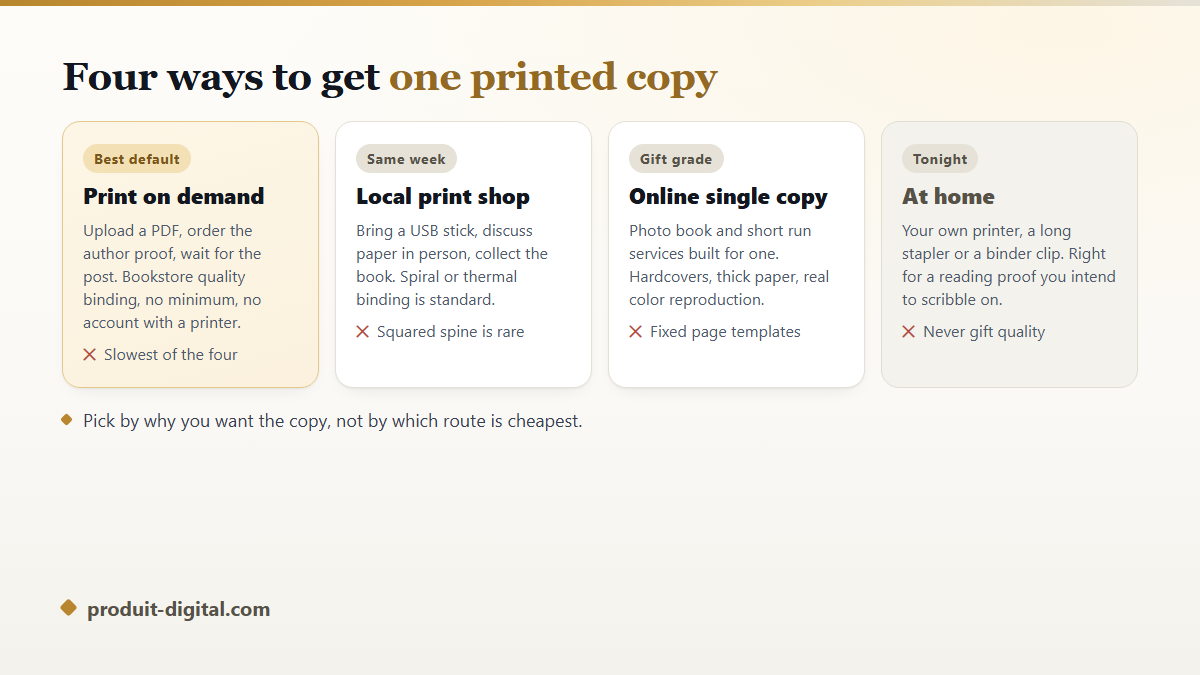
Four routes will print one copy of a book. A print on demand service makes an author proof from your PDF and posts it to you with bookstore binding. A local print shop produces one within days, usually spiral or thermal bound. An online photo book service makes a hardcover on heavy paper. Your own printer produces a reading proof tonight. Which route fits depends on why you want the copy.
Why one copy used to be out of reach
Offset presses need plates, makeready and a stack of wasted sheets before the first sellable copy appears. That fixed setup is why printers quoted minimums: below a few hundred copies, the setup swallowed the job. Digital presses removed the plates, so a run of one became arithmetically sane. The full picture of how books now get printed only once somebody orders them explains the machinery behind that shift.
The four routes to a single printed book
These four differ in binding quality, speed and how much control you keep. None is better in general. Each suits a particular reason for wanting one book in your hands, and picking by price alone is how people end up with a spiral bound gift.
Route one: the print on demand author proof
This is the default for anyone whose book will eventually be sold. You upload an interior PDF and a cover PDF, the service runs a preflight check, and you order a copy printed exactly as buyers would receive it. The binding is the same perfect bound paperback or case bound hardcover a shop would stock. According to Amazon KDP's documentation, authors can order copies of their own book at printing cost, and the minimum order is one.
The trade is time. The copy is manufactured after you order it, then shipped, so a week or more is normal. The reward is that what arrives is the actual book, faults included. To know what that copy will cost before you order, the breakdown of the three lines every printing quote is built from lets you estimate it yourself.
Route two: the local print shop
A copy shop will print one book from a USB stick or an emailed PDF, often within days. You touch the paper before choosing it, ask for a heavier cover stock, and collect the result in person rather than tracking a parcel. For a portfolio you need on Friday, nothing beats it.
The limit is binding. Most copy shops offer spiral, wire or thermal binding, and few produce a squared glued spine with a printed title. A spiral bound book lies flat, which suits a cookbook, and reads as a document rather than a book on a shelf. Ask what binding exists before you design the cover, because a wire bound book has no spine to print on.
Route three: online single copy and photo book services
Photo book services and short run printers occupy the gift end of the market. They print on thick coated paper, produce hardcovers with dust jackets or printed cases, and reproduce color far better than a copy shop. For a family history, a wedding album with text, or a child's story built around one name, this is the right route.
The constraint is the template. Many of these services want you to lay the book out inside their own tool, on their page sizes, which limits typographic control and can make a text heavy book look like a photo album. Some accept a finished PDF instead. Check before committing, because rebuilding a laid out book in somebody else's editor is a long evening.
Route four: print your own book at home
You can print your own book on the printer you already own, and for one particular job it is the best option available. A reading proof, printed single sided, three hole punched or clipped, is the cheapest way to read your own draft as a reader rather than as a writer. Errors that hide on screen surface immediately on paper.
For anything you intend to give away, home printing disappoints. Consumer ink is expensive by volume, duplex printing drifts out of register over a long document, and nothing on a desk glues a squared spine. Print at home to read and correct, then order the real copy elsewhere.
What a single copy is actually for
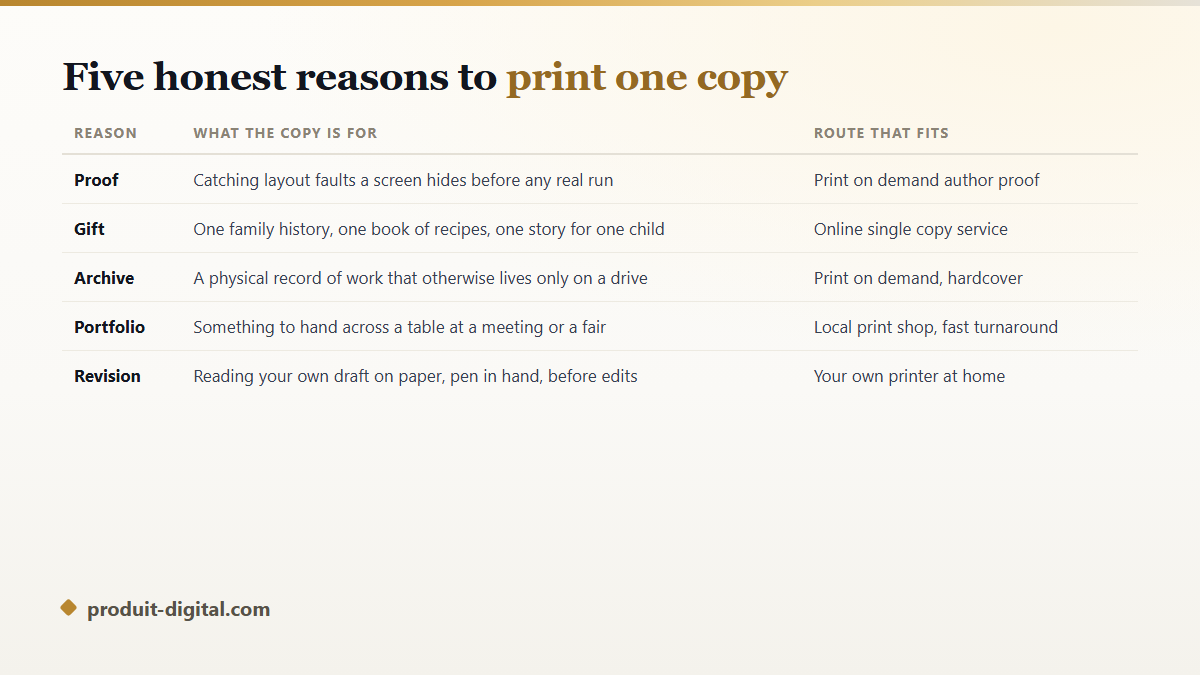
People assume one copy means a hobby project. In practice, the authors who order single copies most often are the ones who go on to sell thousands, because the proof copy is where layout faults get caught. The other uses are personal, and none needs an audience to be worth the trouble.
- A proof, read on paper before any run, to catch margins, spine placement and color drift.
- A gift built for one person: recipes, a family history, a story starring a child you know.
- An archive copy of work that otherwise exists only on a drive that will fail.
- A portfolio piece to hand across a table at a meeting or a fair.
- A revision copy of your own draft, printed cheaply so you can attack it with a pen.
The file decides whether one copy looks like a book
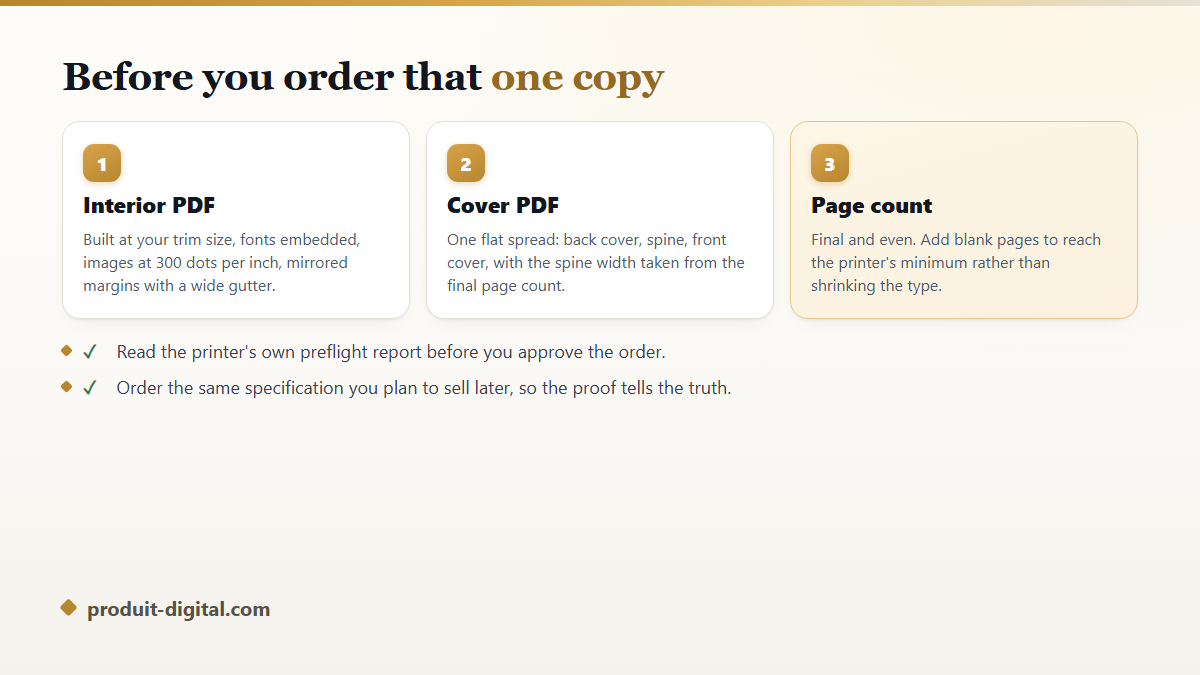
Single book printing fails for file reasons, not printing reasons. The press does exactly what your PDF tells it to, and a document formatted like a letter comes back looking like a letter with a cover. Most services want two PDFs: the interior, and the cover as one flat spread covering back, spine and front together.
- Set the page size to the trim size you ordered, never a default letter or A4 page.
- Turn on mirrored margins and widen the inside gutter, because the binding curves paper away from the eye.
- Embed every font in the PDF, including those inside imported graphics.
- Place images at three hundred dots per inch at their printed size, never enlarged from a screen grab.
- Calculate the spine width from your final page count and paper, then rebuild the cover to it.
- Reach the printer's minimum page count with blank pages rather than by shrinking the type.
Mistakes that waste the copy you ordered
The most common is ordering the proof from a different service than the one printing the run. Paper, color profile and binding all differ, so the copy in your hands describes a book nobody will receive.
The second is treating a proof as a reading copy. Read it for pages, not sentences: gutters, running heads, chapter openers on the side you chose, the spine title centered. The third is ordering before the text is final, since one edit shifts the page count, which changes the spine width, which invalidates the cover you just approved.
Getting from a manuscript to a file a printer accepts
The gap most people fall into sits between a finished text and a print ready PDF. Layout, images, cover and spine all have to agree with each other, and each round trip between tools is a chance for them to stop agreeing. The complete route from a first idea through to a copy you can hold sets out the order those steps belong in.
Produit Digital keeps that chain in one workspace: an outline you approve, the writing, the illustrations, the cover and a print ready PDF, all built at the trim size you picked. The path from an idea to an illustrated book file produces the interior and cover files a single copy order asks for, and the answers to the practical questions about the platform cover what happens after the export.
Frequently asked questions
Can I really order just one copy of a book?
Yes. Print on demand services, photo book services and local copy shops all accept an order of one. The per copy price is the highest you will pay, since no setup is spread across other copies, but there is no minimum to clear and no stock left over.
How long does printing one copy take?
A local shop can often do it within a few days. A print on demand copy takes roughly a week to manufacture and ship, longer across borders. Home printing takes an evening. Build the wait into your plans if the book is a gift with a date attached.
Will one copy look like a real book?
Through print on demand or a single copy service, yes, because the same machines print the copies sold in shops. Through a copy shop it will look like a well made document, since the binding gives it away. At home it will look like printed pages, whatever paper you buy.
Do I need an ISBN to print one copy?
No. An ISBN identifies a book for retailers and libraries, so a copy printed for yourself or as a gift needs none. You will need one per format if you later want the book sold through shops, and the rules for obtaining one differ by country.
Should I print one copy before ordering a full run?
Always, and from the printer that will produce the run. A proof costs one copy and catches faults that would otherwise be reproduced hundreds of times. Skipping it is the most expensive economy in self-publishing.
One copy is no longer a favor you ask for. Choose the route that matches your reason for wanting it, build an interior and a cover PDF that respect the trim size, then read the result with your eyes on the pages rather than the sentences. If you would rather have the writing, the illustrations and the print ready file made in one place first, you can start your book in a workspace that exports the files a printer expects.